

Normal Scores
Normal Scores
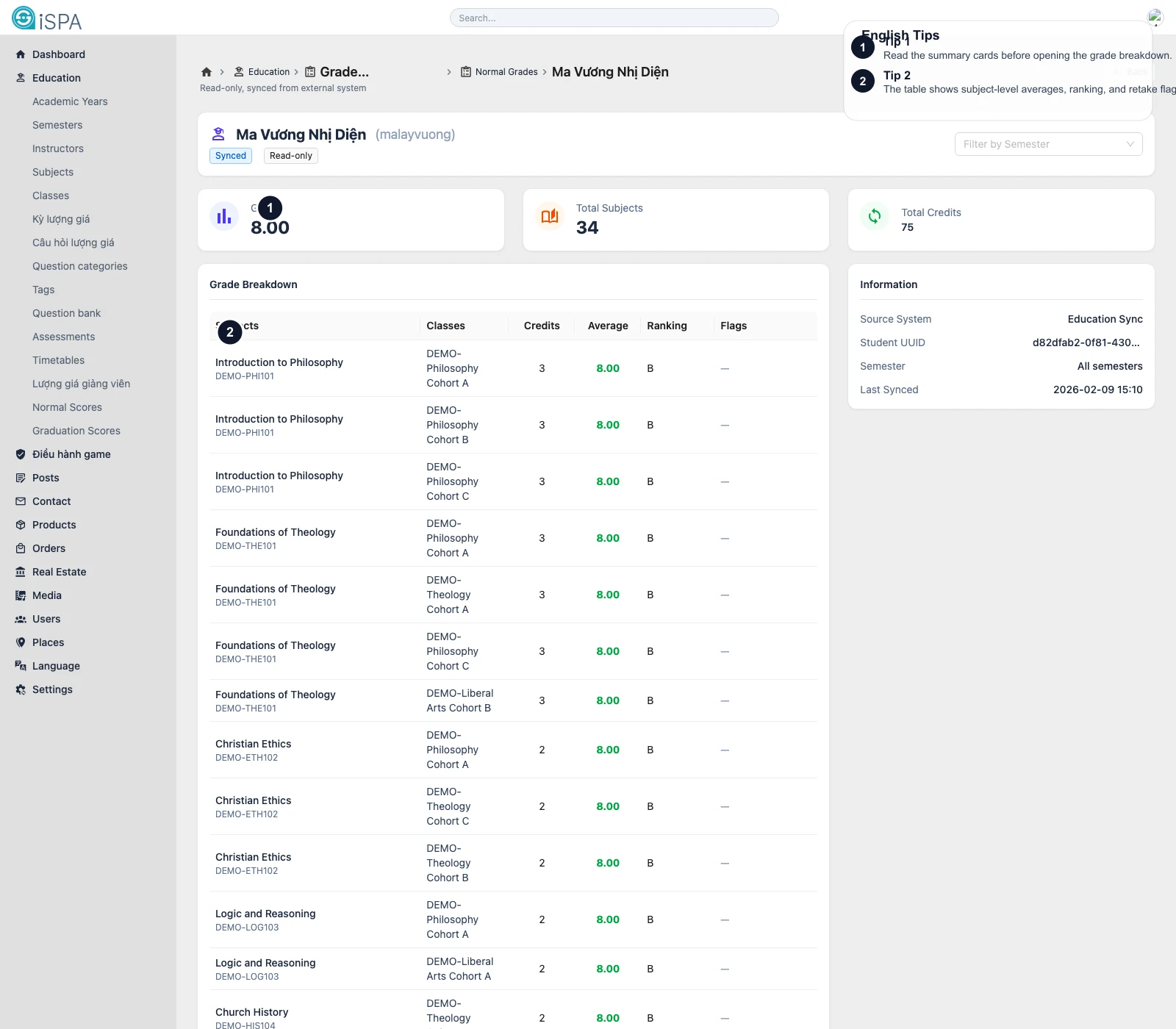
Illustration captured from the local environment on March 14, 2026. The English callouts highlight the semester filter, summary cards, and subject-level breakdown table in the student detail view.
Use this page to look up regular scores synced from an external system. Treat it as a lookup and verification page, not a manual data-entry screen.
What the main list is for
From the list, you can:
- search for a student
- filter by semester
- filter by subject
- filter by class offering
- read average score
- review ranking
- see transfer or retake flags
- open the student detail route
What the main columns mean
Average
The current average score for the row.
Ranking
The ranking information, when provided by the source system.
Flags
Typical flags include:
TransferredRetaken
Last synced
This shows the latest sync time coming from the external source.
What the student detail route shows
When you open Detail, the screen usually includes:
GPA- total subjects
- total credits
- a semester filter for that student
- a subject-level breakdown table
- class offering references
- transfer or retake flags
This detail route is the right place when you need the full picture of one student’s academic record inside the synced scope.
Recommended workflow
- Filter the list to the semester or subject if needed.
- Search for the student.
- Review the list row.
- Open
Detailfor deeper verification.
Important reminder
Normal Scores is read-only synced data. If the numbers look wrong:
- check the last sync time
- verify the source system
- do not assume the fix belongs in this admin view
When should you open Detail?
Open the detail route whenever the question is student-specific and requires more than one number, such as GPA, subject-by-subject averages, retake status, or total credits.