

Post Categories
Post Categories
Post Categories is where you prepare the classification structure before entering content. If this screen is maintained well, management lists, filters, and bulk actions will all work much more cleanly.
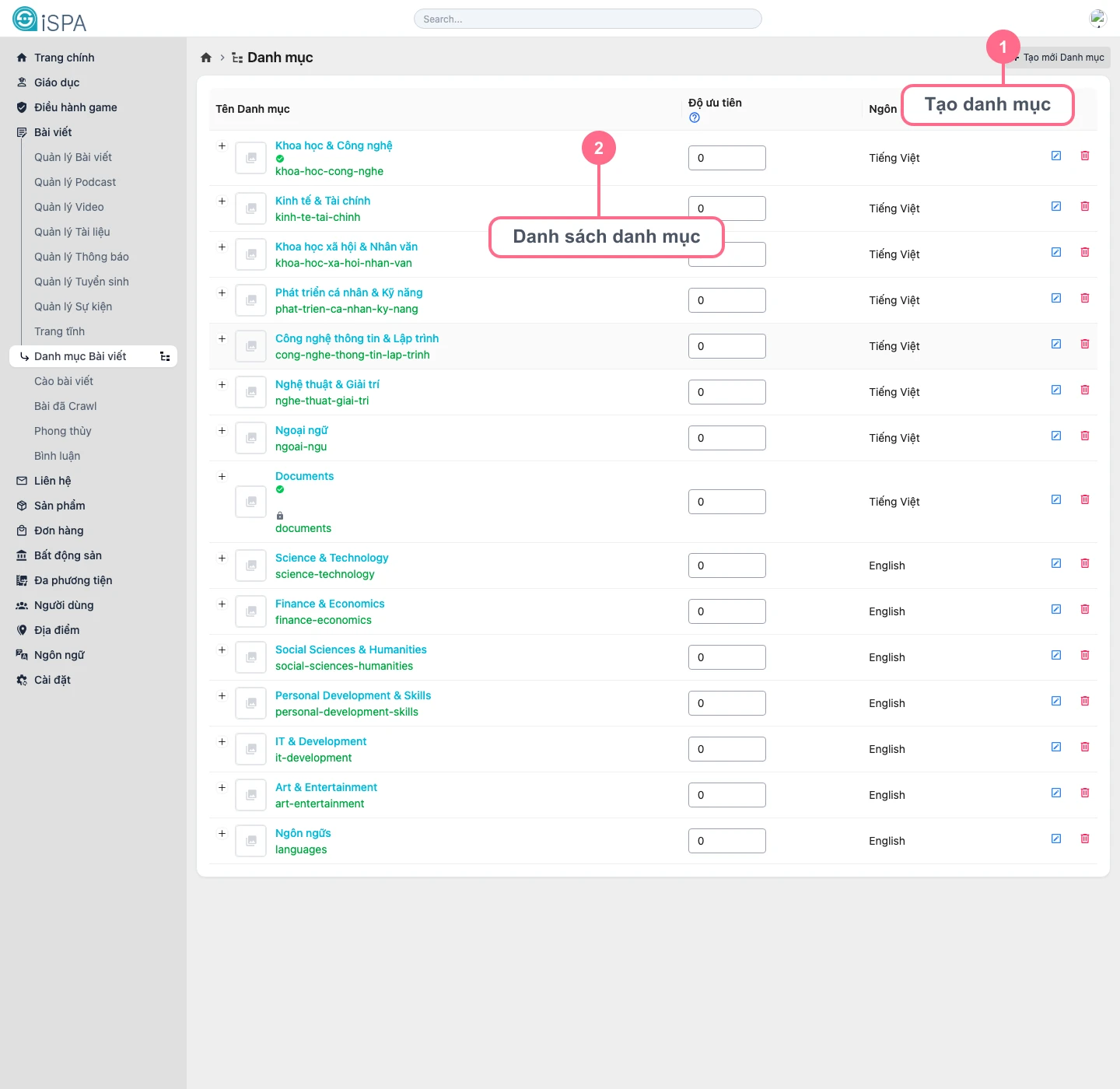
Illustration captured from the local environment on March 14, 2026. The list already contains sample categories in multiple languages, so you can see how the category tree and display priority are meant to be interpreted.
What is this screen for?
- creating new categories for post content
- renaming categories so editors understand them more easily
- arranging display priority
- controlling the language scope of each category in multilingual systems
When should you come here?
- before creating a large batch of new content for a new campaign or section
- when the content team changes the editorial structure
- when taxonomy needs cleanup so filtering becomes easier
Safe working flow
- Check whether the category you need already exists.
- If it does not, click
Create category. - Use a short and clear name that matches the language editors actually use every day.
- Set
Priorityif your system uses display ordering. - Assign the correct
Languageso categories do not mix across locales. - After creating the category, return to Create Post or Manage Posts to apply it.
Tips for naming categories
- prefer clear naming over overly technical naming
- for campaign-based categories, include a year or round in the name
- avoid creating too many categories that are almost identical, because editors will have trouble choosing the correct one
Category structure directly affects the management screens
If the category structure is messy, you will see the impact immediately in filters, bulk category updates, and the ability to review content by section.