

Post Crawl
Post Crawl
Post Crawl helps you pull content from an external URL, extract the basic fields, and optionally translate the result into Vietnamese before it enters the CMS editorial flow.
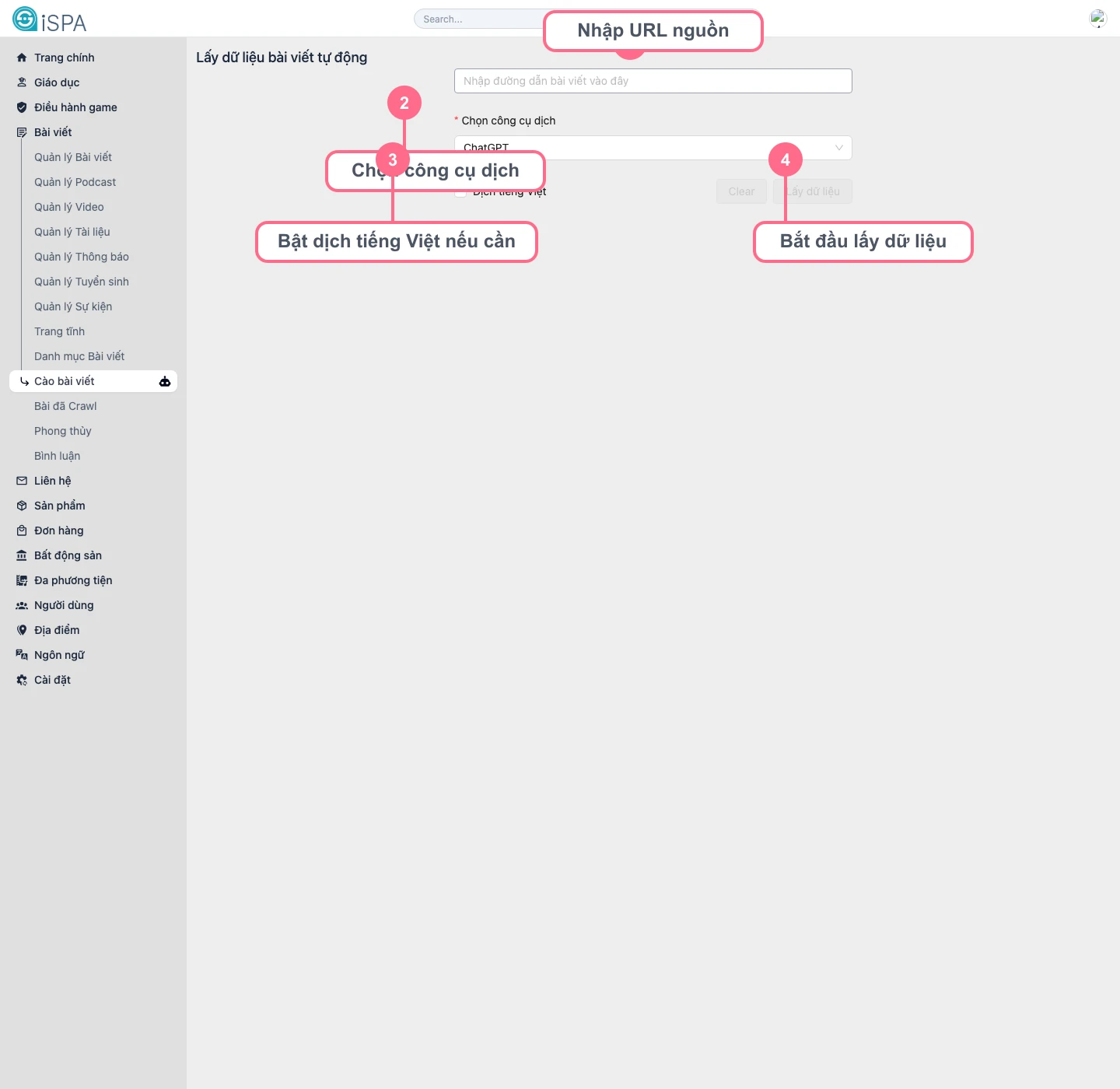
Illustration captured from the local environment on March 14, 2026. This is the entry screen where you paste the source URL and choose the translation engine before extraction begins.
When should you use this screen?
- when you need to import a post quickly from a news source or partner website
- when you want a first draft structure without manual copy and paste
- when you want a Vietnamese draft before the editor performs the final review
Step-by-step usage
- Paste the source article URL into the input field.
- Choose an approved translation engine, for example
ChatGPT. - If you want the system to translate into Vietnamese, enable
Translate to Vietnamese. - Click
Fetch data. - Wait while the system extracts the title, description, image, and body.
- Review the result before saving it or moving into the next editing step.
What should you review after crawl?
- whether the title is too long or taken out of context
- whether the correct main image was extracted
- whether the content still includes ads, watermarks, or unwanted intro blocks
- whether headings and paragraphs became broken after translation
When should you avoid this screen?
- when the source URL blocks bots or requires login
- when the page layout is too specialized or depends on dynamic scripts
- when content must be heavily rewritten in the brand voice from the beginning
A successful crawl does not mean the content is ready to publish
This screen speeds up the first data capture step. After crawl, you should still review the title, category, thumbnail, excerpt, and main content before saving or publishing.