

Posts Dashboard
Posts Dashboard
Posts Dashboard is the overview screen that tells you what the content team is dealing with today: how many posts are already published, what is scheduled next, and which content types are growing or missing.
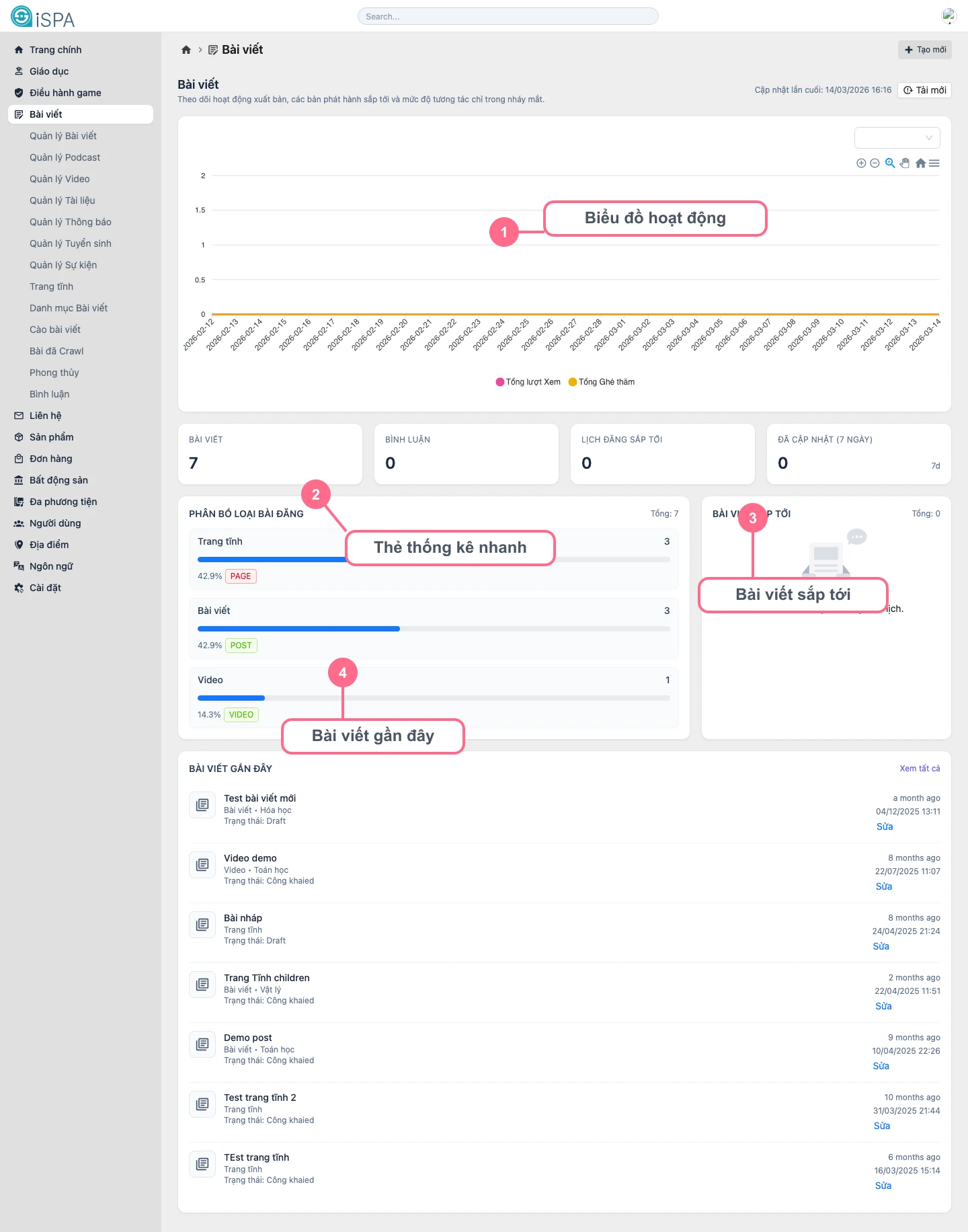
Illustration captured from the local environment on March 14, 2026. The dashboard currently contains sample data, including quick stat cards, content-type distribution, and recent post lists so you can see how the screen is meant to be read.
What is this screen for?
- starting the workday with a quick understanding of content activity
- checking whether any post is close to its publish time but still needs review
- seeing which content types are growing, such as
post,audio,video, ordocument - reopening recently edited posts without searching through the main list
Main areas on the screen
Activity chart: gives a quick sense of views, visits, or activity changes over timeQuick stat cards: show total posts, total comments, scheduled posts, and newly updated postsPost type distribution: tells you which type currently dominates the datasetUpcoming posts: focuses on records that already havepublished_atRecent posts: helps you reopen recently edited records immediately
Daily usage flow
- Open
Posts Dashboardat the start of the day to check whether anything is scheduled for today. - Review the quick stat row to understand total post count, comment count, and scheduling volume.
- If one content type looks unusual, jump into the corresponding management screen for deeper review.
- Use
Recent poststo reopen unfinished work instead of searching through the list again. - After the team imports or publishes in bulk, click
Refreshso the numbers reflect the newest state.
When should you leave the dashboard?
- need keyword, status, or category filters: move to Manage Posts
- need to create something new: move to Create Post
- need to inspect scheduling or metadata for a single record: open Post Detail or Update Post
Dashboard is for observation, not detailed processing
If you need to edit many records, change status in bulk, or filter deeply by category, the management screens are the better choice. Dashboard works best as the place where you observe and decide what to do next.