

Graduation Scores
Graduation Scores
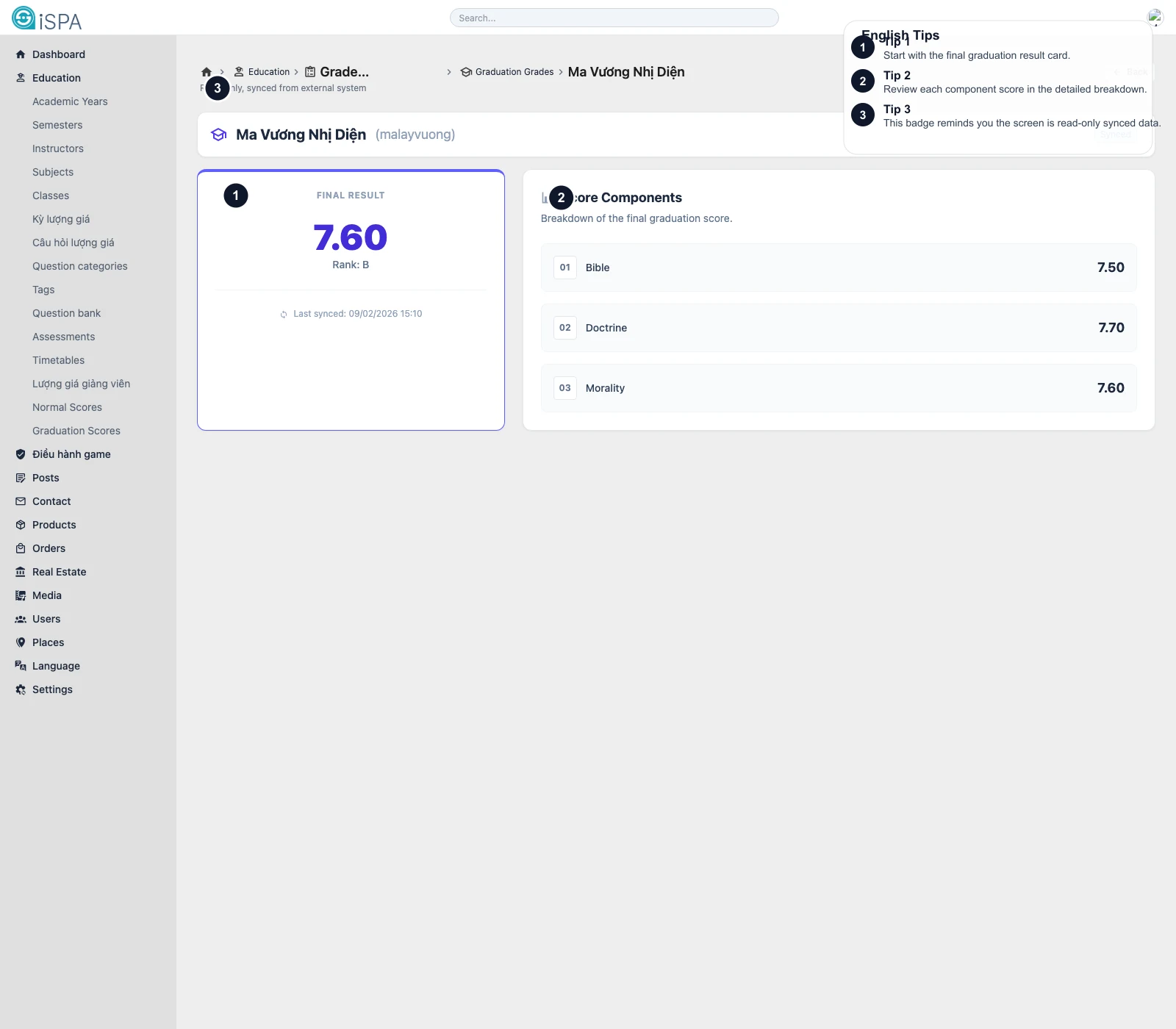
Illustration captured from the local environment on March 14, 2026. The English callouts highlight the final-result card, the component breakdown area, and the synced-data reminder.
Use this page to look up graduation score summaries for each student. Like normal scores, this is mainly a synced lookup and reporting screen.
What the main list helps you review
- search for a student
- filter by cohort or intake year
- compare component scores
- read the graduation average
- review ranking
- spot retake flags by component
- open the student detail route
How the screen summarizes the components
In the list, the system usually shows short component labels such as:
KTL
The detail screen explains the same result more clearly through its component breakdown.
What the detail route shows
When you open a student record, you usually see:
- final result
- rank, when available
- last synced time
- score components
- retake markers per component
This is the correct place when someone needs to understand why the final graduation result looks the way it does.
Recommended reading flow
- Find the student in the main list.
- Open
Detail. - Read
Final Resultfirst. - Then inspect each component in
Score Components. - If needed, compare with the source system or sync timing.
Important reminders
- the overall result should not be read without checking the components
- a retake marker on one component may explain changes in the final result
- this is a lookup screen, not a manual editing screen