

Pages
Pages
Pages is the dedicated list for page-type content, such as about pages, landing pages, policy pages, and other low-change content that still needs to be managed inside the same CMS.
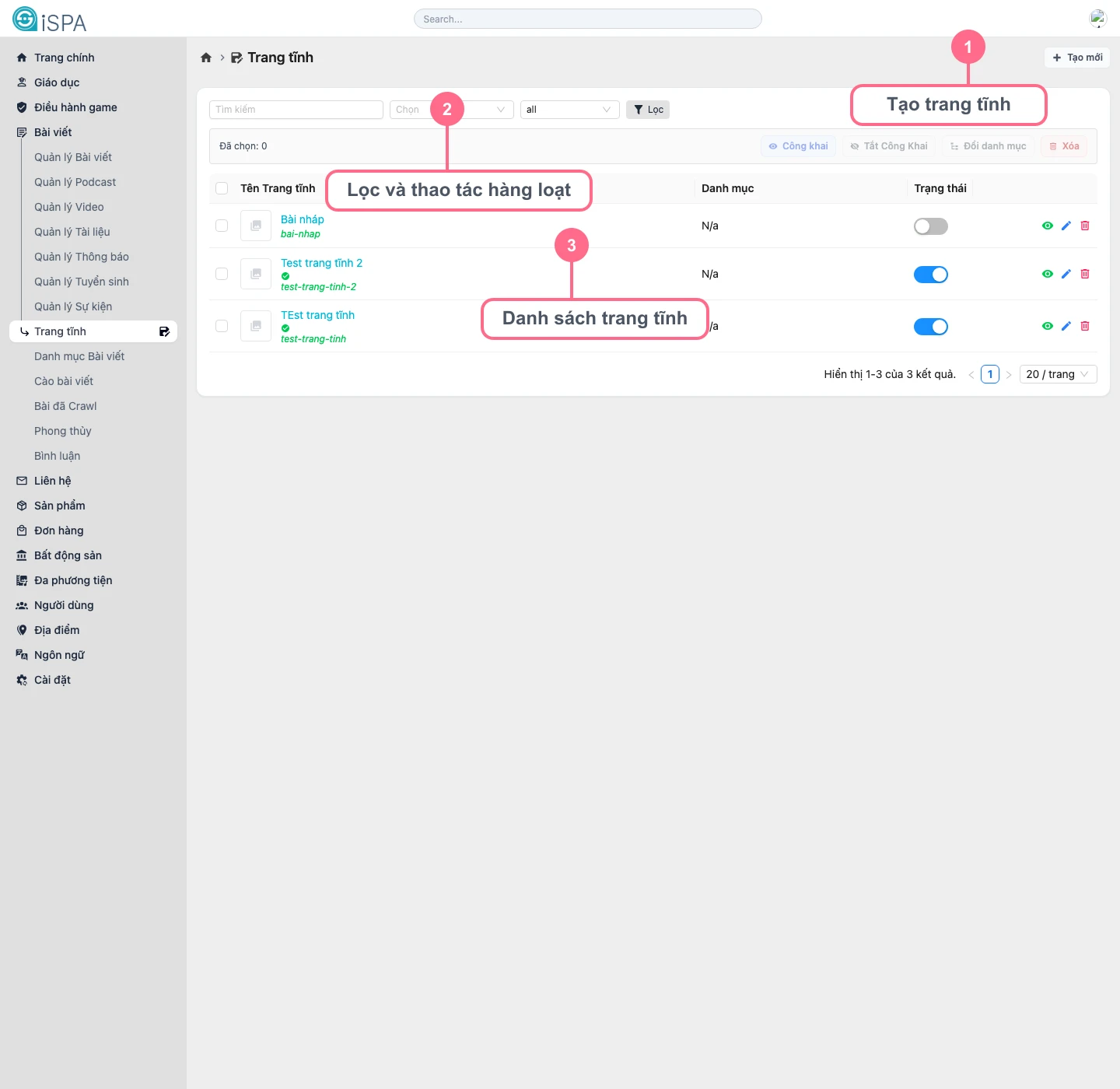
Illustration captured from the local environment on March 14, 2026. The list currently includes sample static pages so you can see how filtering, status toggling, and quick actions are meant to work.
How is this different from Manage Posts?
- it only shows content where
type = page - the list behavior is almost the same as
Manage Posts - the create and update forms usually depend less on attachments than
audioordocument - when creating a page, the system may limit image usage more than a normal article
What can you do here?
- create a new static page
- filter existing pages by keyword, category, or status
- change publication status quickly
- change category for several pages at once
- open detail or edit screens for content and SEO updates
Suggested working flow
- Click
Create pagewhen you need a new static page. - Use filters to find the page you want.
- If you only need to show or hide the page, change the value in the
Statuscolumn. - If the long-form content needs work, open the edit screen.
- If several pages must move into a new section, use the bulk action
Change category.
When should you use a page instead of a post?
- when the content is relatively fixed and not tied to a timeline
- when you need an about page, policy page, or static landing page
- when you do not want the content mixed into the everyday news-style editorial flow